As the heat rises, a reliable fan becomes an essential ally in maintaining comfort within your home. Tower fans, with their sleek design and efficient airflow, have emerged as a top choice for many homeowners. They offer a perfect blend of modern aesthetics and effective cooling, making them ideal for various spaces from cozy bedrooms to bustling living rooms. This comprehensive guide will walk you through everything you need to know about selecting the perfect tower fan from Home Depot, ensuring you find an optimal solution to keep your space cool and comfortable.
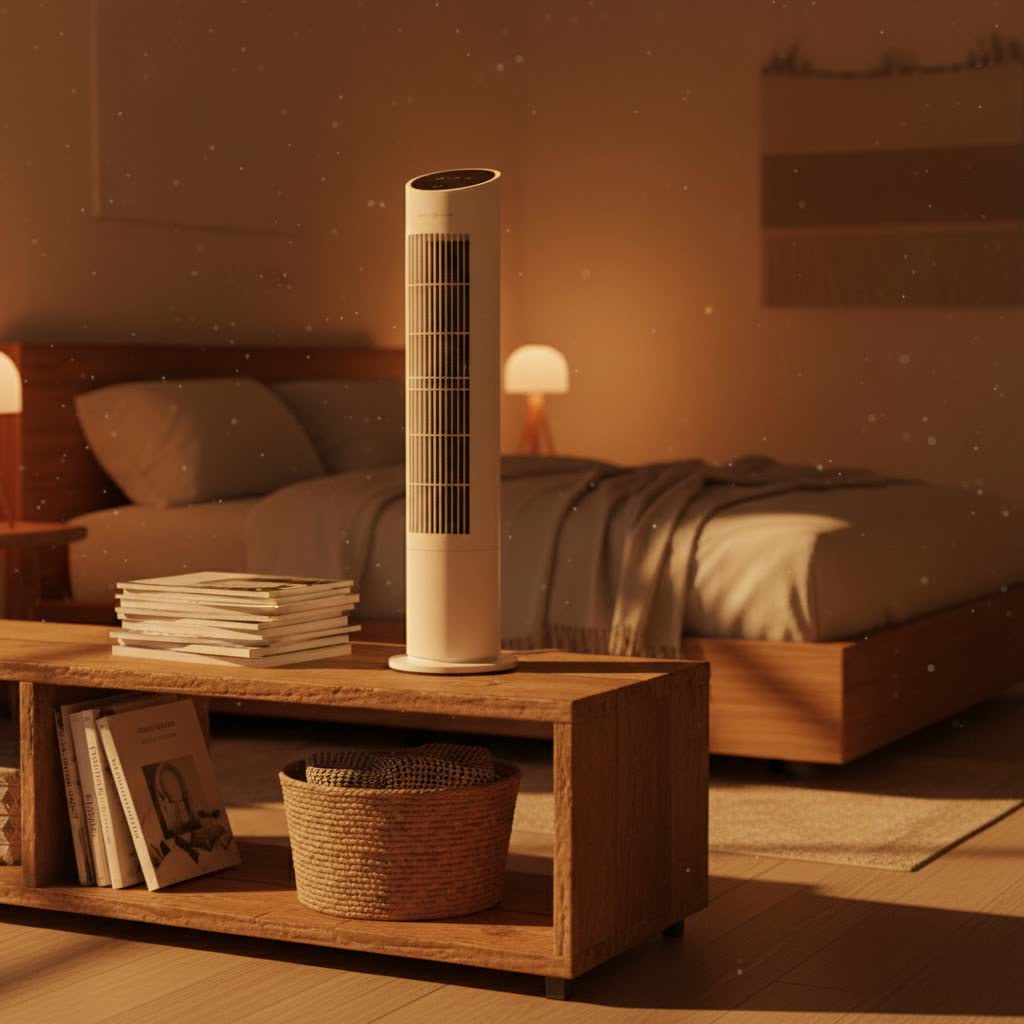
Tower Fans: An Efficient Cooling Solution for Your Home
Tower fans are distinctive for their tall, slender profile, designed to save space while delivering a broad stream of air. Unlike traditional fans that rely on visible spinning blades, most tower fans house their impellers internally, pushing air through vertical vents. This design not only contributes to their modern appeal but also enhances safety, especially in households with children or pets. Their ability to oscillate and distribute air evenly across a wider vertical plane ensures a more thorough and consistent cooling experience throughout a room.
Pros and Cons of Tower Fans
Tower fans bring a host of advantages, making them a popular choice for modern living. However, like any appliance, they also come with certain limitations to consider.
-
Pros:
- Space-Saving Design: Their slim, vertical footprint allows them to fit seamlessly into corners or tight spaces, making them excellent for apartments or smaller rooms.
- Quiet Operation: Many models are engineered for whisper-quiet performance, making them ideal for bedrooms, nurseries, or home offices where noise can be a distraction.
- Even Airflow Distribution: The oscillating motion and vertical air output provide consistent cooling across a wider area, offering whole-body comfort.
- Modern Features: Most tower fans include convenient features like remote controls, multiple speed settings, sleep modes, timers, and even smart home compatibility, enhancing user experience.
- Enhanced Safety: With internal blades, they are a safer alternative for households with children or pets, minimizing the risk of accidental contact.
-
Cons:
- Higher Price Point: Generally, tower fans can be more expensive than conventional pedestal or box fans, especially for models with advanced features or premium designs.
- Limited Cooling in Large Spaces: While good for circulating air, their ability to significantly cool very large, open-concept rooms might be less effective than more powerful, traditional fans or air conditioning units.
- Regular Cleaning Required: The internal grilles can accumulate dust and debris, necessitating routine cleaning to maintain optimal performance and air quality.
|
Our Picks for the Best Tower Fan in 2026
As an Amazon Associate I earn from qualifying purchases.
|
||
| Num | Product | Action |
|---|---|---|
| 1 | Tower Heater Fan with 4L Humidifier, 1800W Heating/Cooling, 2 Heat Levels, 3 Fan Speeds, 120° Oscillation, Indoor Space Heater with Timer & Safety Lock |

|
| 2 | LEVOIT Classic 36 inch Tower Fan for Bedroom, 25ft/s Airflow Standing Fan that Blows Cold Air for Home, 90° Oscillation, Quiet 28dB, Remote, 12H Timer, 5 Speeds, 4 Modes with Smart Sensor, Black |
|
| 3 | LEVOIT Tower Fan for Bedroom, 25ft/s Velocity Standing Fan with 28dB Quiet for Sleep, Remoter, 12H Timer, 5 Speeds, 4 Modes, 90° Oscillation for Home, Office, Indoor, Bladeless 36 inch, White |
|
| 4 | Amazon Basics 28" 60-Degree Oscillating Tower Fan for Bedroom, Living Room, Office, With 3 Speeds, Intuitive Mechanical Control, Black, 35W, 27.8"H x 9.4"D x 9.4"W |
|
| 5 | Dreo Tower Fan for Bedroom, 25ft/s Velocity Quiet Floor Fan, 90° Oscillating Fans for Indoors with 4 Speeds, 4 Modes, 8H Timer, Standing Fans, Bladeless Fan, Black, Nomad One (DR-HTF007) |
|
| 6 | Dreo Tower Fan for Bedroom, 25ft/s Velocity Quiet Floor Fan, 90° Oscillating Fans for Indoors with 4 Speeds, 4 Modes, 8H Timer, Standing Fans, Bladeless Fan, White, Nomad One (DR-HTF007) |
|
| 7 | Xcity TP09Pro Bladeless Tower Fan, 3-in-1 Air Purifier, Space Heater & Cooling Fan, HEPA H13 Filtration, Remote & Touch Control, Ultra-Quiet DC Motor for Bedroom & Home Office |
|
| 8 | Dreo Tower Fan for Bedroom, 4 Speeds, 3 Modes Standing Fans for Room with 90° wide Oscillating, 28dB Quiet for Sleep, 25ft/s Velocity, 29ft Coverage, 8H Timer, Remote, Living Room, Office, Home, White |
|
| 9 | Dreo Tower Fan for Bedroom, 4 Speeds, 3 Modes Standing Fans for Room with 90° wide Oscillating, 28dB Quiet for Sleep, 25ft/s Velocity, 29ft Coverage, 8H Timer, Remote, Living Room, Office, Home, Grey |
|
| 10 | Dreo Tower Fan for Bedroom, 90° Oscillating Standing Fans for Room with 4 Speeds, 3 Modes, 28dB Quiet for Sleep, 25ft/s Velocity, 8H Timer, Remote, Living Room, Office, Home, Black, TF117 - for Bedroom, for Room, for Sleep, 25ft/s Velocity, Living Room, Office, Home, Black |
|
Popular Types of Tower Fans Available
The market offers a diverse range of tower fans, each designed to meet specific needs and preferences. Understanding the different types can help you pinpoint the best fit for your home.
- Mechanical Tower Fans: These are the most straightforward models, typically featuring manual controls (dials or push buttons) for speed and oscillation. They are often the most affordable option, providing basic yet effective cooling.
- Remote Control & Digital Tower Fans: Offering enhanced convenience, these fans come with a remote control, allowing you to adjust settings from across the room. They usually feature digital displays and more precise control over speeds, modes, and timers.
- Smart Tower Fans: Integrating with smart home ecosystems, these fans can be controlled via Wi-Fi through smartphone apps or voice commands with virtual assistants like Alexa or Google Assistant. They often include advanced features like custom schedules, eco-modes, and intelligent temperature sensing.
- Bladeless Tower Fans: While technically still having internal impellers, these fans are designed without visible external blades, creating a smooth, uninterrupted airflow. They are praised for their sleek, futuristic aesthetics, safety, and often quieter operation.
- Specialty Tower Fans: Some tower fans offer additional functionalities, such as fan/heater combos for year-round use or evaporative/misting models that add humidity to the air for a deeper cooling effect, especially in dry climates.
Top Tower Fan Brands and Models at Home Depot
Home Depot carries a variety of reputable tower fan brands, each with its unique strengths. When browsing their selection, you’ll frequently encounter these names:
- Lasko: A long-standing brand known for its durable and high-performing fans. Lasko models often offer strong airflow, a good range of speeds, and convenient features like remote controls and timers. Their “Xtra Air” models are popular for powerful cooling.
- Dreo: This brand has gained popularity for its quiet operation, powerful airflow (often with high CFM ratings), and smart features. Dreo fans, such as the Nomad One or Pilot Max S series, are frequently recommended for bedrooms due to their low noise levels and comprehensive settings.
- Hampton Bay: As Home Depot’s house brand, Hampton Bay tower fans typically offer an excellent balance of affordability and essential features. While some users report varying experiences with noise at higher speeds, they provide a cost-effective cooling solution.
- Vornado: Renowned for its unique “Vortex Action” technology, Vornado fans excel at circulating air throughout an entire room, rather than just blowing air directly. They often offer robust construction and powerful performance, with some models designed for heavy-duty use.
- Honeywell: A trusted name in home comfort, Honeywell tower fans are known for their reliability and user-friendly features. Many incorporate “QuietSet” technology, making them a solid choice for those prioritizing low noise.
- Shark: While perhaps more known for vacuums, Shark offers innovative bladeless tower fans like the “TurboBlade” series, which provide versatile airflow options and a sleek design, often appealing to those seeking modern aesthetics and enhanced safety.
Comparing Key Tower Fan Features
To help you make an informed decision, here’s a comparison of features you might find across different price points and models at Home Depot:
| Feature | Entry-Level Tower Fan (e.g., Basic Hampton Bay) | Mid-Range Tower Fan (e.g., Lasko, Honeywell) | High-End/Smart Tower Fan (e.g., Dreo, some Lasko smart, Dyson) |
|---|---|---|---|
| Price | Affordable | Mid-range | Higher |
| Airflow (CFM) | Moderate (sufficient for small rooms) | Good (typically 500-800 CFM, effective for medium rooms) | Excellent (often 800-1000+ CFM or high velocity, ideal for larger spaces) |
| Noise Level | Can be noticeable at higher settings | Generally quiet, often includes specific “sleep” or “quiet” modes | Whisper-quiet, very low decibel ratings, engineered for minimal sound output |
| Features | 3 speeds, basic oscillation, manual controls | Remote control, timer, multiple speeds/modes, wider oscillation (up to 90°) | Smart control (Wi-Fi, voice), numerous speeds/modes, eco mode, display dimming, advanced oscillation (e.g., 120°) |
| Design | Basic plastic, functional | Modern, slim profile, often with digital displays | Sleek, often bladeless, premium materials, intuitive touch controls |
| Room Suitability | Small bedrooms, personal spaces | Small to large bedrooms, living areas, home offices | Large rooms, open-concept living spaces, executive offices |
How to Choose the Right Tower Fan for Your Home
Selecting the perfect tower fan involves considering several factors tailored to your specific needs and environment.
- Assess Room Size and Airflow Needs: For smaller rooms, a fan with moderate airflow will suffice. For larger living areas or open layouts, look for models with higher CFM ratings (Cubic Feet per Minute) and wider oscillation angles (e.g., 120 degrees) to ensure effective air circulation across the entire space. Some powerful fans can move air up to 25 feet per second.
- Prioritize Noise Level: If the fan is for a bedroom or office, quiet operation is paramount. Look for models explicitly advertised as “quiet” or featuring “sleep modes” and check customer reviews for feedback on noise, especially at higher settings. A fan producing around 25-40 dB is considered very quiet.
- Consider Features and Controls: A remote control offers convenience, allowing adjustments without getting up. Timers are great for setting the fan to turn off automatically. Multiple speed settings and “breeze modes” (e.g., natural, sleep) enhance comfort. For tech-savvy users, smart features like Wi-Fi connectivity and voice control provide seamless integration into a smart home system.
- Determine Your Budget: Tower fans range widely in price. Establish how much you’re willing to spend and prioritize the features most important to you within that budget. Home Depot offers options at every price point.
- Read Brand Reputation and Customer Reviews: Brands like Lasko, Dreo, and Honeywell are generally well-regarded. Checking Home Depot’s customer reviews for specific models can provide valuable insights into real-world performance, durability, and common issues.
- Evaluate Safety Features: If you have children or pets, a bladeless design or a fan with tightly enclosed grilles offers greater peace of mind. A sturdy, wide base is also important for stability.
Tips for Using and Maintaining Your Tower Fan
Proper usage and regular maintenance will extend the life of your tower fan and ensure it continues to provide efficient cooling.
- Optimal Placement: Position your tower fan in a strategic location to maximize air circulation. Placing it in a corner or near an open window can help draw in fresh air and distribute it effectively. Avoid placing it directly against a wall, which can impede airflow.
- Regular Cleaning is Crucial: Dust and pet hair can quickly accumulate in a tower fan’s grilles and internal components, reducing efficiency and potentially impacting air quality.
- Always unplug the fan before cleaning.
- Use a vacuum cleaner with a brush attachment to remove dust and debris from the external vents.
- For stubborn dust, a can of compressed air can be highly effective in dislodging particles from hard-to-reach internal areas.
- Wipe down the exterior housing with a soft, damp cloth.
- Consult your fan’s user manual for specific cleaning instructions, as some models allow for partial disassembly for a deeper clean, while others should not be opened to avoid voiding the warranty. Aim to clean every 3-8 weeks, depending on usage.
- Use Correct Voltage: Always ensure your fan is connected to the appropriate power supply as specified by the manufacturer to prevent damage.
- Avoid Prolonged Continuous Operation: While fans are built for continuous use, giving them occasional breaks, especially during peak heat, can prolong motor life.
- Proper Storage: When the cooling season ends, store your tower fan in a dry, clean place, ideally covered to prevent dust accumulation.
Tower Fans vs. Other Cooling Solutions
Understanding how tower fans compare to other common cooling devices can help you decide when a tower fan is the best choice.
- Tower Fan vs. Pedestal Fan:
- Tower Fan: Offers a sleek, space-saving design, quieter operation, and distributes air vertically for whole-body cooling. They are generally more aesthetically pleasing and feature-rich, making them ideal for smaller to medium-sized rooms and personal comfort.
- Pedestal Fan: Typically provides a more powerful and widespread airflow due to larger, exposed blades and an adjustable height/tilt. Better suited for larger, open spaces where raw power and wide coverage are the priority. However, they can be noisier and take up more floor space.
- Tower Fan vs. Portable Air Conditioner:
- Tower Fan: Circulates existing air to create a wind chill effect, making you feel cooler. They are energy-efficient and highly portable but do not actively lower the ambient temperature or dehumidify the air.
- Portable Air Conditioner: Actively cools and dehumidifies a room by removing heat and moisture. They are more effective at temperature reduction but consume significantly more energy, are much larger, require venting to an outside window, and are less portable.
- When to Use Which: Use a tower fan for mild cooling, air circulation, or to supplement an air conditioner. Opt for a portable AC when you need significant temperature reduction and dehumidification in a specific room.
In conclusion, choosing a tower fan from Home Depot can be an excellent way to enhance comfort and coolness in your living space. With a diverse range of brands, types, and features available, you can find a fan that perfectly aligns with your aesthetic preferences, functional needs, and budget. By carefully considering factors like room size, noise level, and smart features, and by committing to regular maintenance, your tower fan will provide a refreshing breeze for many seasons to come. Which feature are you most excited to explore in your next tower fan?
Frequently Asked Questions
Are tower fans at Home Depot energy efficient?
Yes, tower fans are generally very energy-efficient, especially compared to air conditioning units. They use significantly less power to circulate air and create a cooling effect, making them an economical choice for supplemental cooling. Many models also feature eco modes and timers to further reduce energy consumption.
Can Home Depot tower fans cool a large room effectively?
While tower fans excel at circulating air and creating a wind chill effect, their ability to cool a large room (meaning to lower the ambient temperature) is limited. For large rooms, look for models with high CFM ratings (800+ CFM) and wide oscillation angles (120 degrees) to ensure robust air movement, but understand they work best for air circulation rather than temperature reduction.
What is the quietest tower fan available at Home Depot?
Several brands at Home Depot offer exceptionally quiet tower fans. Dreo models like the Nomad One and Pilot Max S, along with some Honeywell QuietSet fans, are frequently praised in reviews for their low noise output, especially on lower speed settings. Always check the decibel (dB) rating if available and customer reviews specifically mentioning quiet operation.
How often should I clean my tower fan from Home Depot?
To maintain optimal performance and air quality, it’s recommended to clean your tower fan regularly. For fans used daily, cleaning every three to four weeks is ideal. For less frequent use, cleaning every six to eight weeks should suffice. Always unplug the fan first and refer to the user manual for specific cleaning instructions.
Do bladeless tower fans from Home Depot actually work better?
Bladeless tower fans, while appearing to have no blades, contain an internal impeller that moves air. They often offer a smooth, consistent airflow, enhanced safety, and a sleek modern design. While they might not inherently provide more powerful cooling than a traditional bladed tower fan of comparable specifications, their safety features, aesthetics, and often quieter operation are significant advantages that many users find worthwhile.
